
Some stores keep agents out on purpose: a firewall rule, a staging password, a store that isn't launched yet. Until now, letting UCP Playground through a firewall meant letting in everyone who uses it. Access keys change that. A store gives one team a key, and that team's runs reach the store. Everyone else still gets the store's refusal. Shipped on 24 November 2026 in Playground 0.24.233.
Give one team access to your store, not everyone.
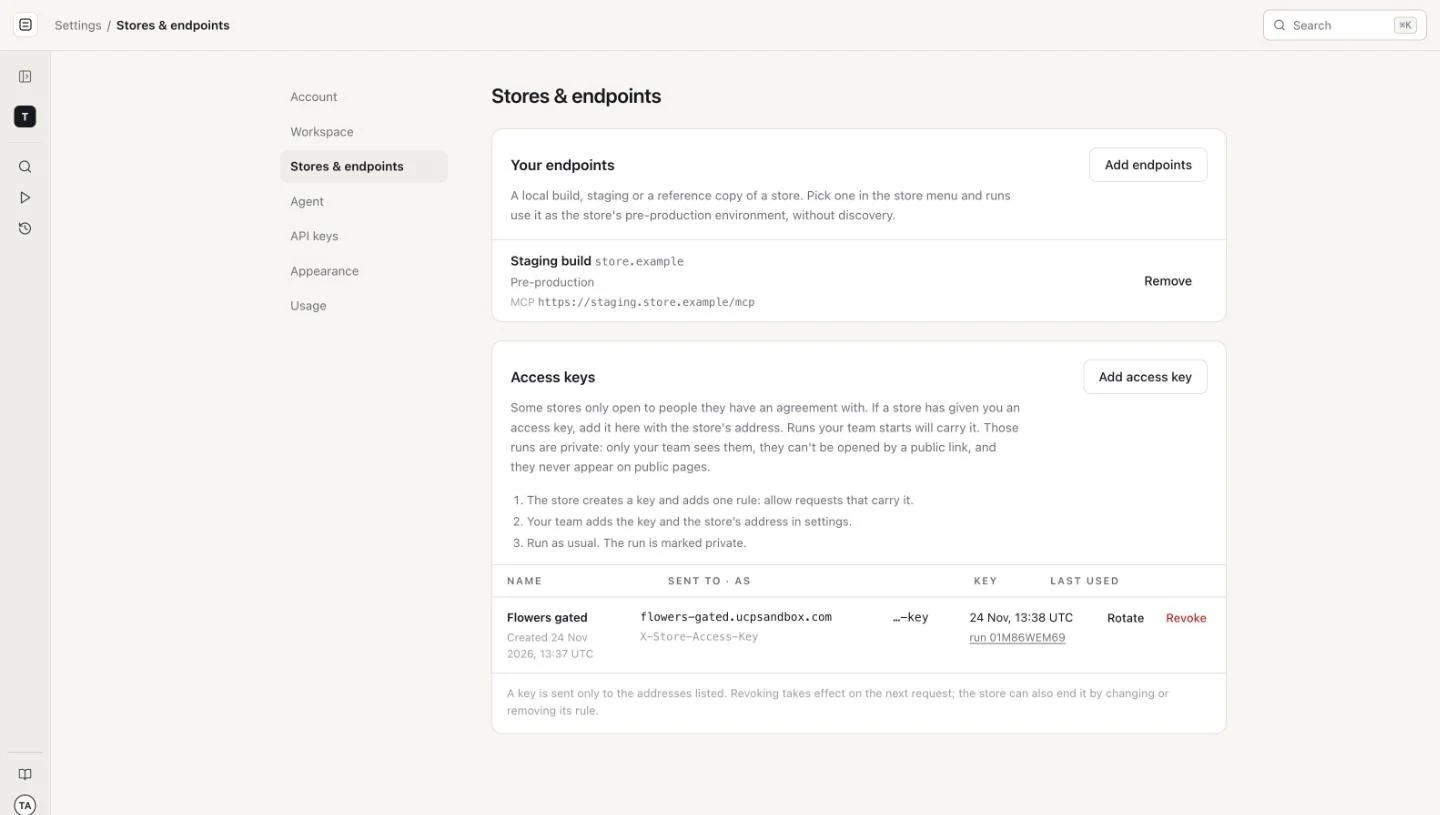
Try it: our test shop flowers-gated.ucpsandbox.com refuses every request without its key. Its key is public because it's a test store: header X-Store-Access-Key, value sandbox-gated-demo-key. Add it in Settings › Stores & endpoints › Access keys in Playground, then run an agent there.
For the store or platform
Today, letting UCP Playground through your firewall lets in everyone who uses it. An access key lets in one team. You create a key, add one rule at your edge that asks for it, and give the key to the team you want to work with. Their runs reach your store. Everyone else gets the same refusal as before. Change or remove the key and access ends.
On Cloudflare it is one custom rule (Security › Security rules › Custom rules, action Block) that refuses requests to your store unless they carry the key:
(http.host eq "store.example" and not any(http.request.headers["x-store-access-key"][*] eq "<your key>"))
We tested that rule on our own test shop on 24 November 2026: without the header Cloudflare answers 403 before the request reaches the store; with it the store's UCP profile and tools load. Our own crawler and Playground runs without the key stay blocked too, because a custom rule applies to verified bots as well.
One limit: on Cloudflare's Free plan, Bot Fight Mode can't be skipped by a custom rule, so a store that keeps Bot Fight Mode on can't let a key through that way.
If your store already has its own way in, a team can use that instead of our header:
- Basic auth, for a staging host or a storefront password.
- A Vercel Protection Bypass for Automation secret, sent as
x-vercel-protection-bypass. - A Cloudflare Access service token, sent as
CF-Access-Client-IdandCF-Access-Client-Secret.
For the developer or team
Some stores only open to people they have an agreement with. If a store has given you an access key, add it in your team settings with the store's address. Runs your team starts will carry it. Those runs are private: only your team sees them, they can't be opened by a public link, and they never appear on public pages.
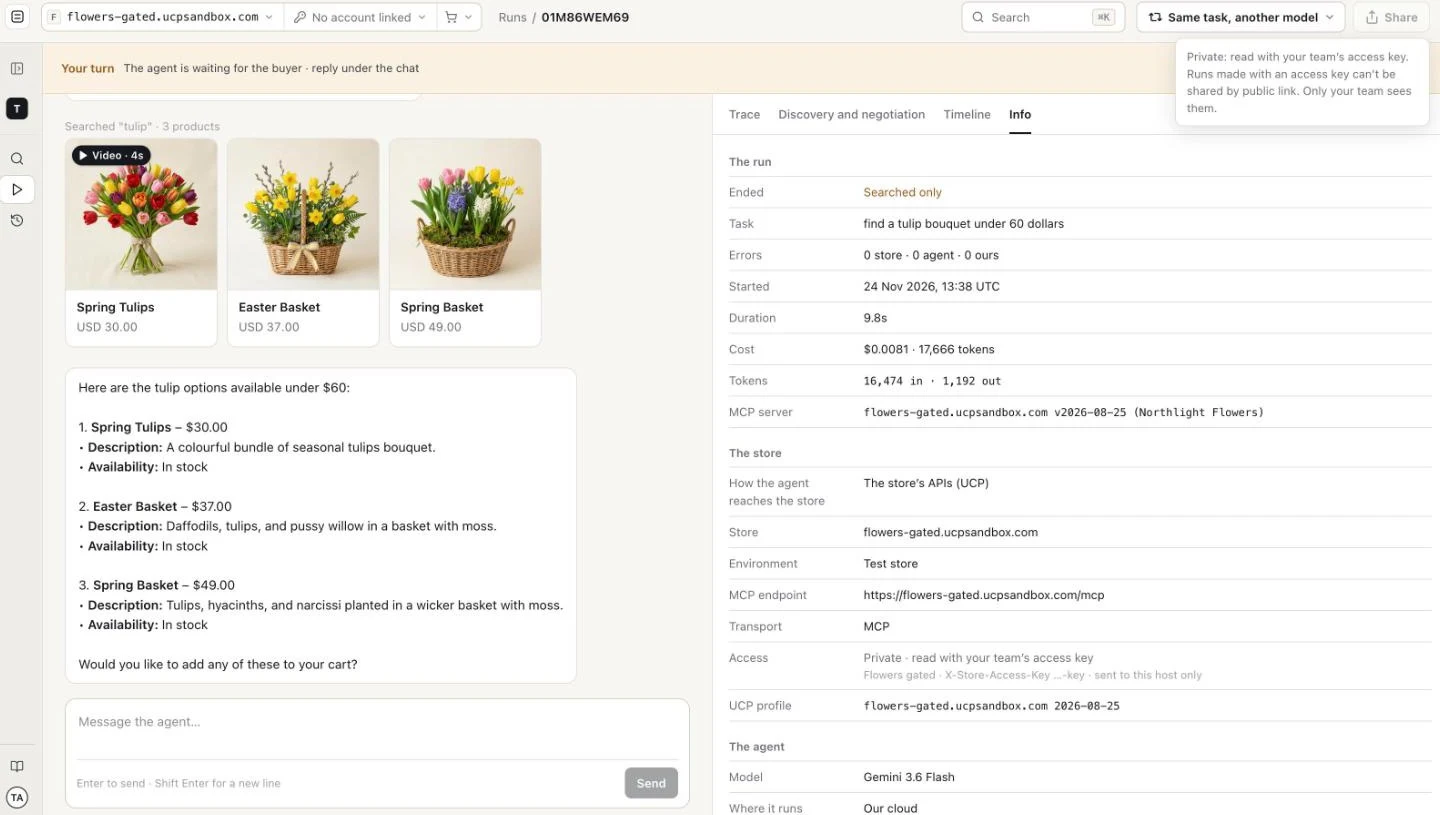
Three steps
- The store creates a key and adds one rule: allow requests that carry it.
- Your team adds the key and the store's address in settings.
- Run as usual. The run is marked private.
What stays private
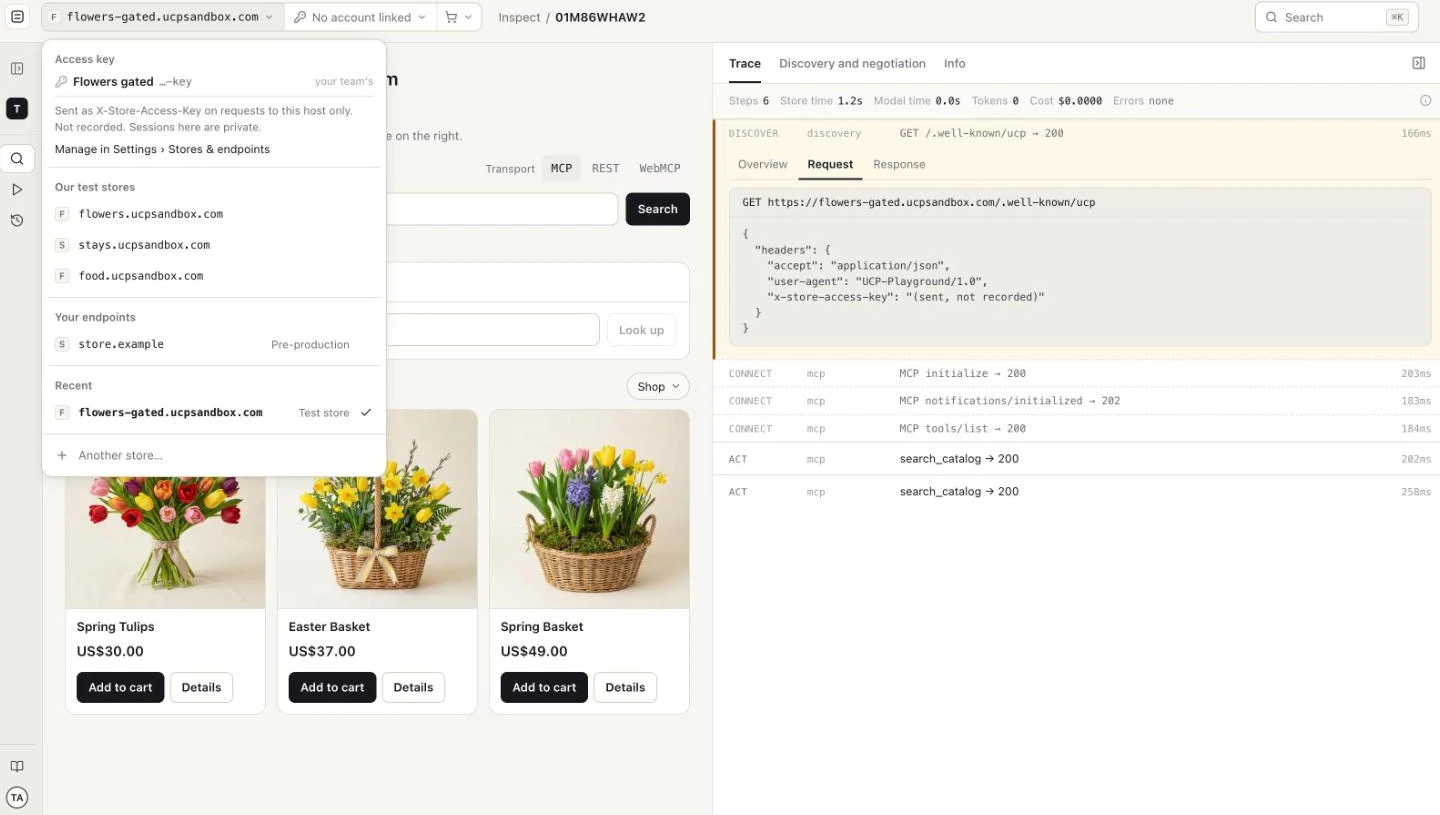
The key is sent only to the store it is for: the exact addresses you list, never another host, a sub-domain you haven't listed, or wherever a redirect points. We store it encrypted and never show it again. It is not in recordings, logs, shares, downloads or the API: the trace shows it was sent, never its value. Runs made with it stay inside your team. Team owners and admins add, rotate and revoke keys; members see which stores have one and when a run last used it.
The store's photos, videos and 3D models load through Playground with the key too, for your team only, and are never cached for anyone else.
What a key doesn't do
This is in UCP Playground only. A key never gets past a store that hasn't agreed: the store always acts first. And a keyed run shows what the store let your team see, not what any agent would get. That's why keyed runs stay out of public pages, the leaderboard and public figures, and why UCP Checker's public status pages keep reading every store with no key.
FAQ
What is an access key in UCP Playground?
A secret a store gives one team so that team's Playground runs can reach the store through the store's firewall or staging gate. Other users and guests are still refused.
How do I let one team test my store with an agent?
Create a long random key, add one rule at your edge that allows requests carrying it in the X-Store-Access-Key header, and give the key to the team. They add it in Settings › Stores & endpoints.
Can other Playground users reach my store with the key?
No. The key belongs to one team or workspace, and only that team's runs send it. Guests and other teams get your store's refusal.
Is the key stored or shown anywhere?
It's stored encrypted, shown once when added, and left out of recordings, logs, shared runs and downloads.
Can I share a run made with an access key?
No. Keyed runs are private to your team and can't be opened by a public link.
What if my store uses Basic auth or a Vercel or Cloudflare Access token?
Choose that method when you add the key; Playground sends it the way your store expects.
About UCP Checker
UCP Checker is the independent validation and observability layer for the Universal Commerce Protocol. We crawl, validate and grade every public UCP manifest we can find, run the merchant directory, the UCP Score, live adoption stats, the vertical guides and the authority-bound vendor map, and track the spec as it evolves so you don't have to — measured from two vantages (what a business declares, and what actually happens when an agent transacts), the same way for everyone, without picking winners.
Sources
- UCP Playground changelog. Version 0.24.233, 24 November 2026.
- Access keys. UCP Playground docs, Workspace.
- Cloudflare Access service tokens. Cloudflare documentation.
- Protection Bypass for Automation. Vercel documentation.
- Bot Fight Mode. Cloudflare documentation.
- Cloudflare WAF custom rules. Cloudflare documentation.
Related coverage: Playground: pinned models and the November refresh · Playground: personal agents · Connect your agent to UCP Checker